Community pool maintenance and property managers
A residential community needs more than clean water. It needs a clear service scope, a record of completed work and visibility of outstanding issues. Here is a practical workflow for pool service companies working with property managers.
Inspect before quoting
Pool and equipment
- Identify every pool, volume, disinfection system, filtration and installed equipment.
- Check plant-room access, keys and permitted working hours; document existing defects.
Service and contacts
- Confirm the opening season, expected use and who checks the water between service visits.
- Agree a contact, report recipients and who approves parts or extra work.
Make the service scope explicit
Set out included tasks, visit schedules, holiday coverage and closed-season arrangements. A weekly service visit does not automatically cover every check required for the facility.
Specify whether chemicals, consumables, external laboratory tests, opening, winterization and extraordinary cleaning are included. Explain how parts, repairs and additional attendances are quoted.
Agree communication channels, realistic response times and a procedure for health risks. Do not offer round-the-clock cover unless you can provide it.
What to record on each visit
Identity and timing
- Community, pool and responsible technician.
- Scheduled time, actual check-in and completion: an appointment is not proof of arrival.
Readings and work
- Actual readings, units and parameters relevant to the treatment system; missing readings are not default values.
- Completed tasks, recorded products and quantities, notes and relevant photographs.
Issues and closure
- What was found, action taken and remaining work.
- A technician or maintenance manager signs the visit report, not the client.
Check the rules for this particular pool
Check the classification and rules applying to the pool in its own jurisdiction, including health-authority requirements and who must carry out checks between service visits. Do not transfer a schedule from another site without reviewing it.
Testing logs and digital reports support record keeping; they do not replace required measurements, procedures, professional supervision or local regulatory advice. This guide does not certify compliance.
Keep repairs in one incident record
- 1
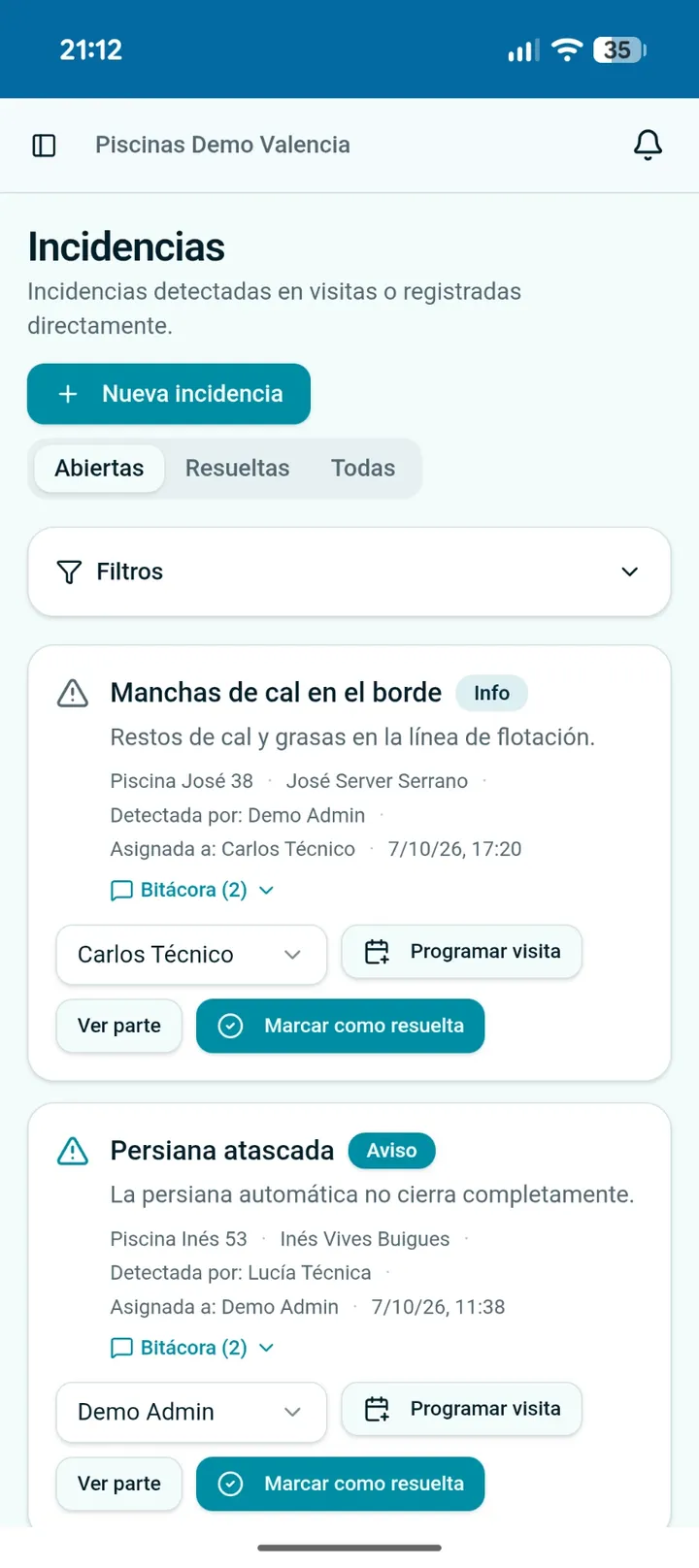
Create one incident
Record the fault, affected pool and impact. Distinguish observations from confirmed causes and add relevant photos.
- 2
Assign and schedule attendance
Name the responsible technician and planned visit. Obtain approval through the agreed channel for chargeable parts.
- 3
Keep the history
Record each attendance, tests and materials. Continue the same incident if a further visit is required.
- 4
Explain the outcome
Record the repair, verification and recommendations. Follow the applicable safety procedure if a risk remains.
What to send the property manager
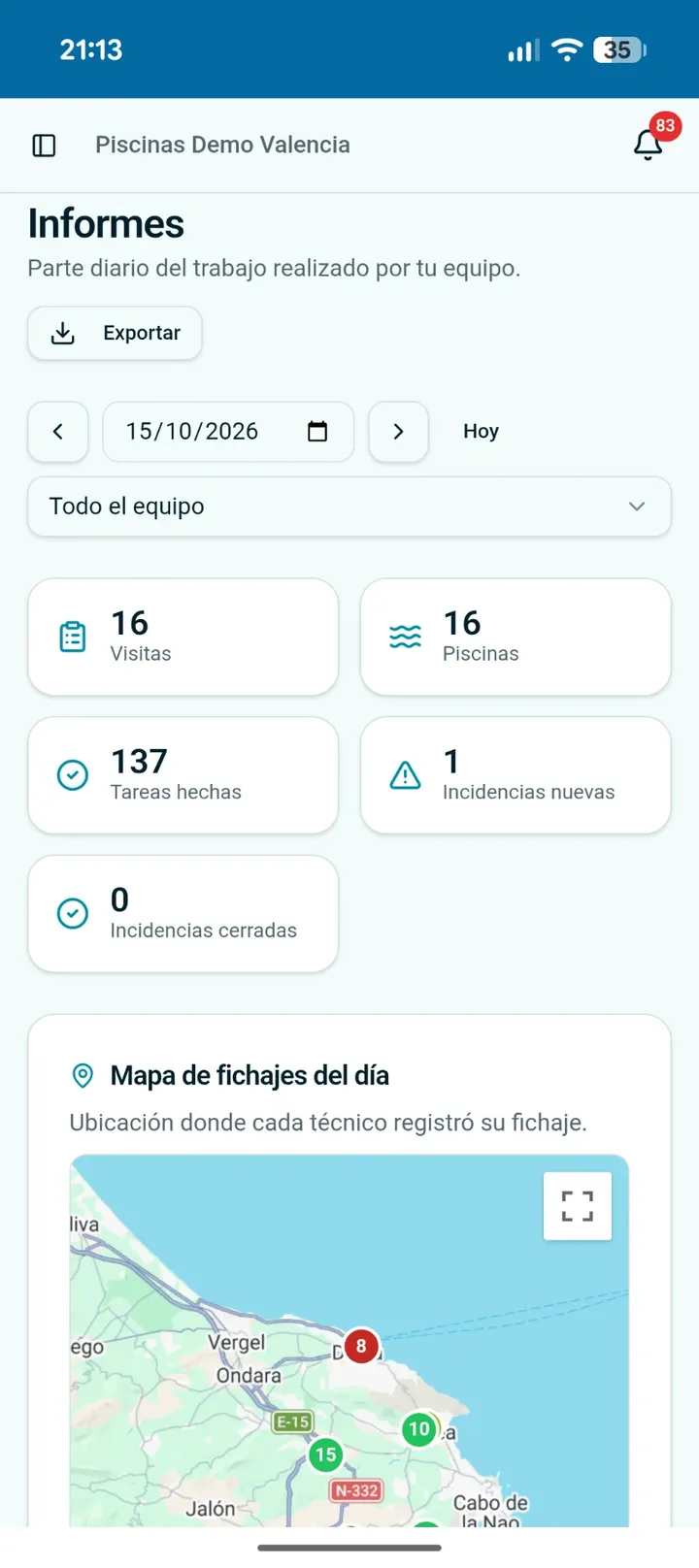
Send the agreed visit report with readings, work, products, incidents and signature. The manager can review the service without piecing together several conversations.
For contract reviews, prepare a period summary of visits, open and resolved incidents, extra work and pending actions. Separate routine maintenance from repairs and excluded services.
Share only necessary information with authorized recipients. Avoid residents, children and sensitive access details in photos. GPS check-ins provide context, not continuous tracking or a guarantee of correct work.
Compare scope, not just monthly fees
Estimate labour time, travel, staff costs, chemicals, consumables and overheads. Treat seasonal opening and closing separately where excluded; there is no universal community-pool rate.
Break down routine maintenance, included or separately charged products, seasonal work, extras, taxes and review conditions. Compare offers on the same scope.
Use the route profitability calculator with your real costs, then check that your proposed frequency meets the agreed service and applicable obligations.
How Pool Service Hub helps
Pool Service Hub brings together pool and equipment records, scheduled visits, readings, tasks, products, photos and incidents with follow-up comments. A technician or manager signs the report and can send it by email.
The office can distinguish scheduled time, actual check-in and completion. A monthly pool testing log PDF can be downloaded from recorded information.
It is a tool for the maintenance company, not a dedicated property-manager portal or an automatic compliance certificate.
Keep reading: Pool testing log · Report and contract template · Route profitability calculator
Frequently asked questions
Who signs the service report?+
The visiting technician or maintenance company manager, not the client.
Is a weekly visit enough?+
This depends on the facility and its obligations. Check who performs required checks between maintenance visits.
Does the monthly PDF guarantee compliance?+
No. It organizes recorded data but does not replace the checks and procedures applicable to the pool.
Document every community pool visit
Try Pool Service Hub for 30 days, with no card required.